
BlueBox for Graduations & Reunions
Everyone in the right place.
Large families and classmates, many tables, and everyone in the right place.
How it works for your graduation or reunion
- 1
Scan or step up
Guests scan the QR code or walk up to the BlueBox Display.
- 2
Search your name
A few letters is enough, even with a typo.
- 3
See your seat and what happens next
Their table, their seat and the night ahead.
What your guests get
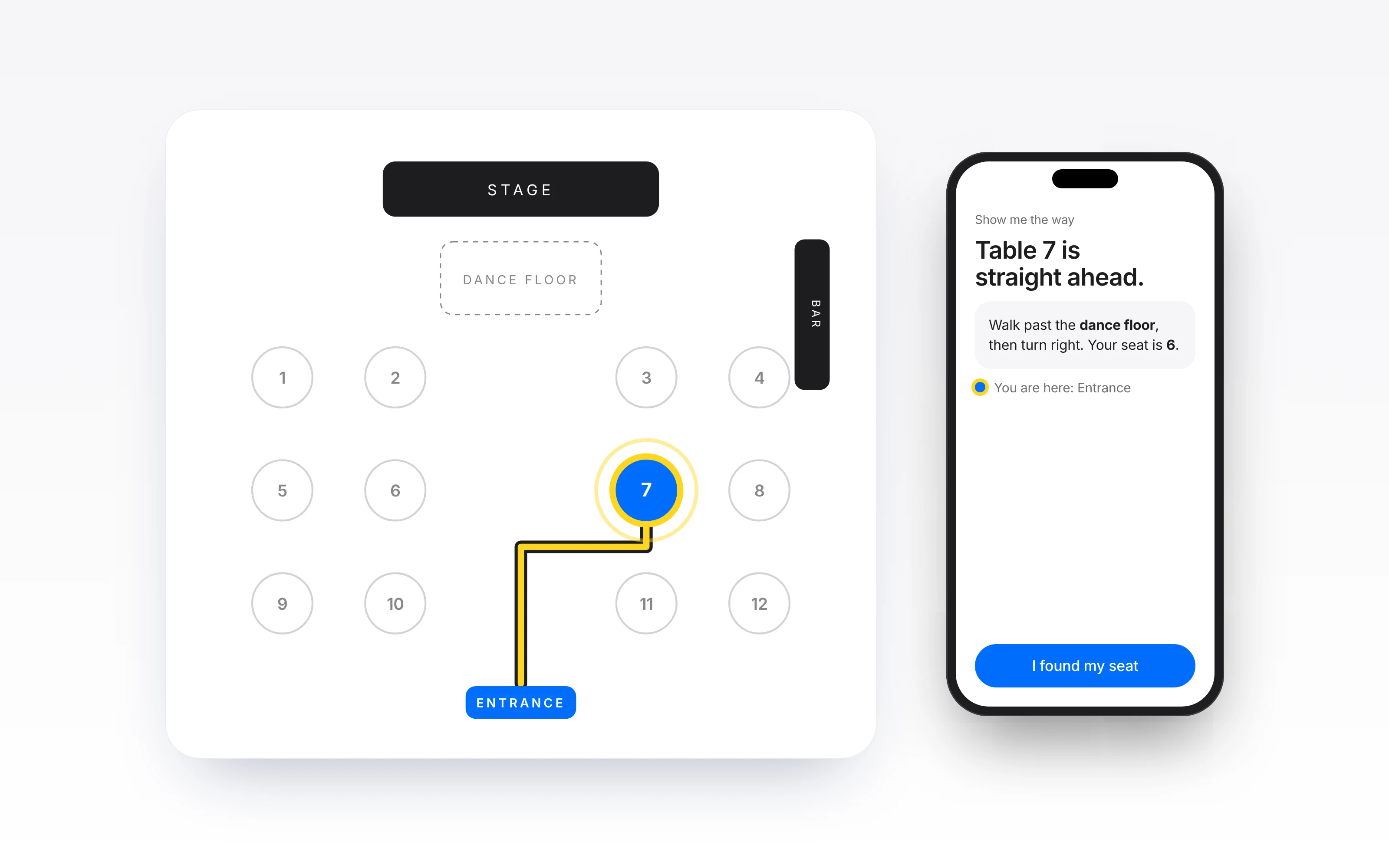
Find My Seat
Every guest searches their name and sees their table and seat.
The program
The night's moments, in order, on every phone.
The menu
What's being served, ready before guests sit down.
Live updates
Announcements reach every guest the moment you send them.
Games
Play together on the big screen and on every phone.
Questions
Do guests need to download an app?
No. Guests scan a QR code or open a link in their phone's browser. No app, no account.
Can I rent a BlueBox Display?
Yes, within our current service areas. Reservations include delivery, setup and pickup, and availability is confirmed before payment.
Who can see guest names and seating?
Anyone with the event's guest link can search a name and see that guest's table and seat. Contact details are never shown. You control when the experience goes live, and shared displays clear after a period of inactivity.